
Work with guests
Consoles
A VM’s screen, serial terminals, container consoles and host shells, in the window or in their own windows.
Proxmox opens consoles in a browser tab. Moxie Prox builds them in: a VM’s screen, serial terminals, container consoles and host shells open inside the page or in a window of their own, with find, saved scrollback and recordings.
Open a console
From a guest’s or host’s Actions menu:
- Open Console › Screen: the VM’s graphical screen (VNC), built in.
- Open Console › Serial Terminal: the VM’s serial console.
- Open Console › SPICE (remote-viewer): hands the VM to a SPICE viewer app.
- Terminal: a container’s console.
- Open Shell: a host’s shell.
You can also select Console in Proxmox’s menu column, or the toolbar’s Console button.
Consoles need permission in Proxmox: VM.Console for guests, Sys.Console for a host’s shell. They work with a password sign-in and with an API token that has those permissions.
In the page or in a window
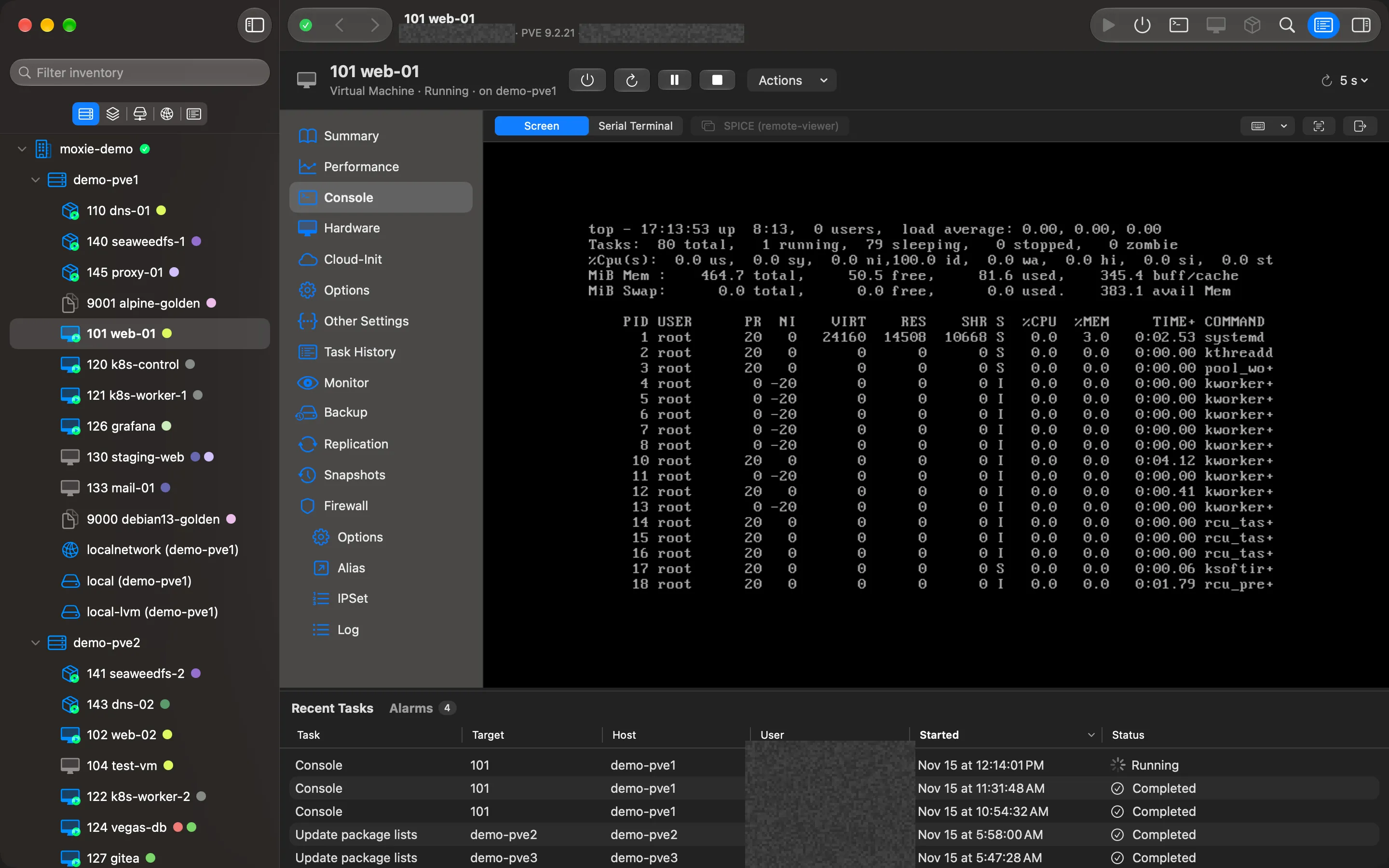
By default a console opens inside the page and connects at once. Open in Separate Window (⌘⇧D) moves it to a window of its own, and holding ⌥ when you open one does the same. To change the default, open Settings › Consoles › Open consoles and choose In the Console Page or In Their Own Window.
The VM screen
The screen’s toolbar has Send Keys (including Ctrl-Alt-Delete), Serial Terminal and Full Screen. Settings › Consoles › Scaling chooses how the screen fits the window.
If the pointer doesn’t line up with the VM’s own pointer, the VM has no USB tablet device. Choose Turn On Tablet in the notice; it takes effect at the VM’s next restart.
Terminals and shells
Serial terminals, container consoles and host shells are full terminals:
- Find (⌘F) searches the last 10,000 lines.
- Save Scrollback… (⌘S) saves them as a text file.
- Record keeps a plain-text recording of what the console shows (commands you type appear because the terminal echoes them; passwords that aren’t echoed don’t, and keystrokes are never logged). Show Recordings opens the folder. Recordings are private to your user.
- Settings › Consoles › Console Font sets the family, size and line spacing.
A serial terminal needs a serial port of type socket on the VM (serial0: socket).
When a guest restarts
If a guest reboots, its console shows Reconnecting… (the guest may be restarting) and comes back by itself. If it shows Console closed, choose Reconnect.
SPICE
SPICE needs a SPICE viewer app on your Mac, which you install yourself. Without one, Moxie Prox says No SPICE Viewer and offers Get a SPICE Client. The one-time connection file it hands over is readable only by you and deleted a few seconds later.
Checked against Moxie Prox 1.3. Updated November 9, 2026.